Responsive Design in Raylib
Daniel Vishnevsky
Motivation
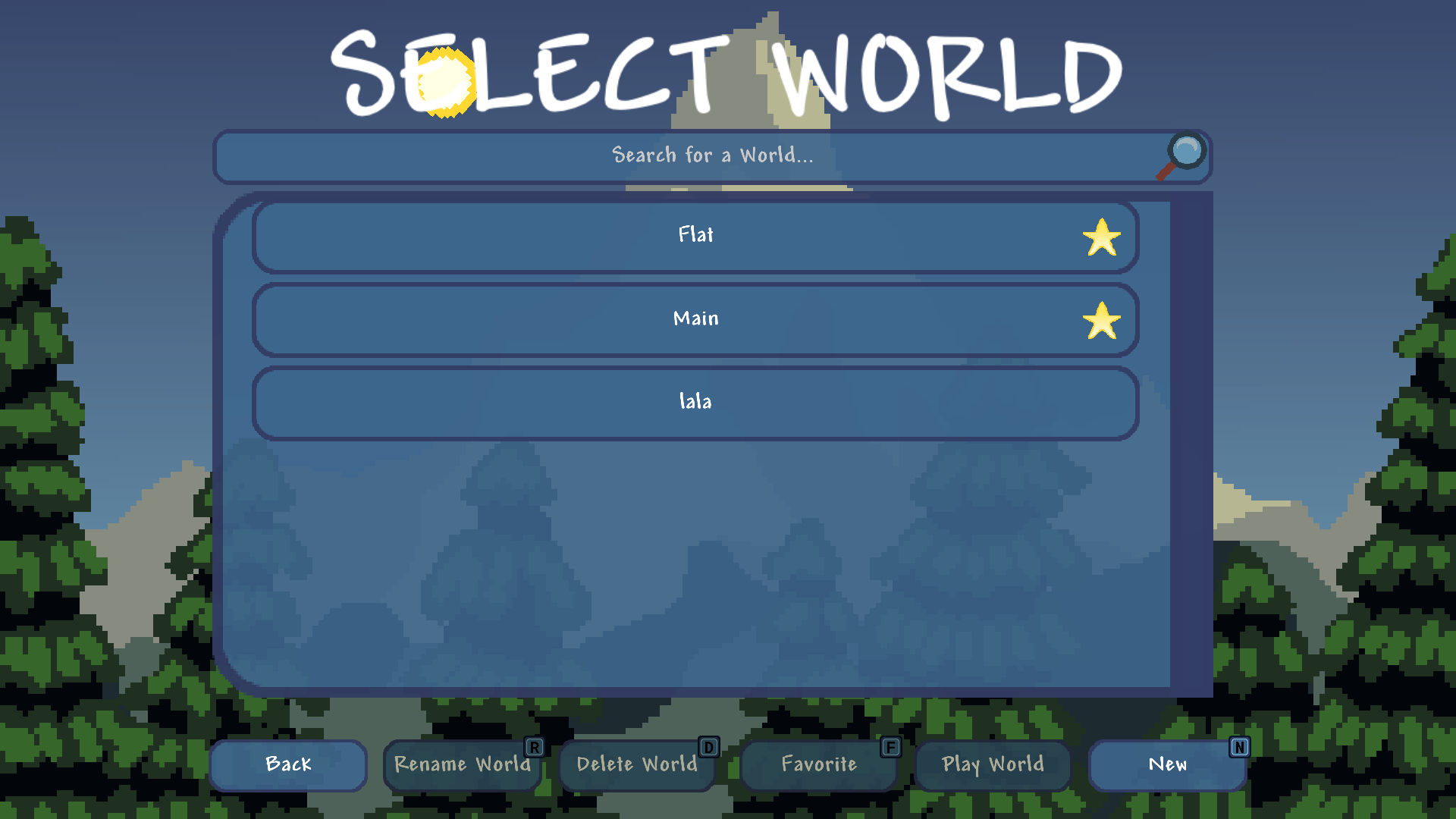
I was working on my game while submitting devlogs on the side on Hackclub Flavortown. Everything was going well (for the most part) until one of the reviewers showed me a video. The image above looked horrendous. Buttons were out of the screen, the scrollframe was extremely squished and the title was gone as well. It was impossible to create a world unless you knew the shortcut. That's kind of bad.
Hardcoded UI
The core issue here is that UI element positions and size are hardcoded. What a surprise. I'm turning into those blogs that explain what variables are before tackling an error... Anyway, UI before this update looked along the lines of this:
// definitions: // drawText(position, text, fontsize) // drawTexture(texture, position, size, rotation) // getScreenCenter(offset?) drawText (getScreenCenter ({0, -175.0f}), loadingText, 80);drawText (getScreenCenter ({0, 100.0f}), splashText, 40);drawTexture (loadingTexture,getScreenCenter (), {70.0f, 70.0f}, iconRotation);
It's a simplified snippet of my loading state renderer. Nothing crazy. Now I wonder what my game looked like at 800x600 resolution since I'm designing the UI on 1920x1080 resolution. Probably not great, if you can see anything that is.
Solution
Fixing this took 3 helper functions and depending on your architecture it might also take another state management function. But that's not necessary. It's really as simple as
float getWidthRatio () {return GetScreenWidth () / 1920.0f;// the width of YOUR resolution AKA the resolution which is used to design the UI layout }float getHeightRatio () {return GetScreenHeight () / 1080.0f;// again, YOUR resolution height }float getCubicRatio () {return min (getWidthRatio (),getHeightRatio ()); }
So let's go over these three functions first:
•
•
•
float getFontSize (float fontsize) {return getCubicRatio () * fontsize; }
In Practice
It's simple, just multiply by them! Here's the previous example using the new functions:
float hr =getHeightRatio ();float cr =getCubicRatio ();drawText (getScreenCenter ({0, hr * -175.0f}), loadingText,getFontSize (80));drawText (getScreenCenter ({0, hr * 100.0f}), splashText,getFontSize (40));drawTexture (loadingTexture,getScreenCenter (), {cr * 70.0f, cr * 70.0f}, iconRotation);
Just don't multiply by it twice as that'll make the object shrink more based on the resolution instead. Also, I'd recommend to write your own draw utility that automatically applies these but beware when to use cubic ratio and when the size ratios.
About the state management function: if you create some UI elements as objects (e.g. buttons, sliders - with saveable state) and use a state handler then I'd advise you to write a function that applies these ratios whenever the window is resized for a specific state.
That's how I handle it in my game and it just works. There's simply no need for more abstraction in games. Websites are a different story but this simply isn't one!